Read the river
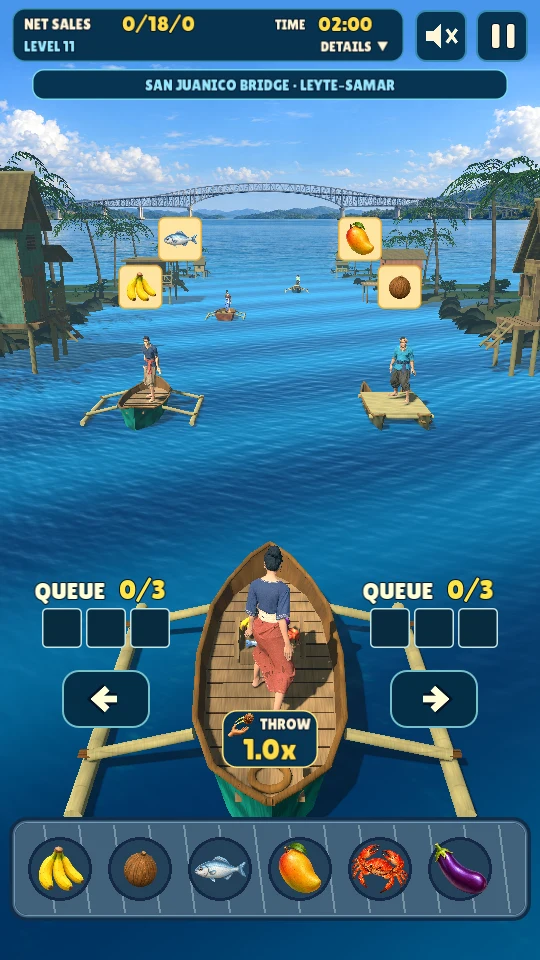
Spot what each customer wants. Queue fruit, vegetables, and seafood on the left or right, then time your deliveries as the boats pass.

Life on the water. A little more lively.
Drift. Throw. Sell.
A banca, a busy floating market, and one more perfect throw. Match the orders, send your goods across the water, and keep the customers smiling.
Available on Android · A Philippine-inspired mobile arcade game
Welcome to the floating market
Spot what each customer wants. Queue fruit, vegetables, and seafood on the left or right, then time your deliveries as the boats pass.
Meet each level’s sales target before time runs out. Build your combo, protect your reputation, and take on a faster current.
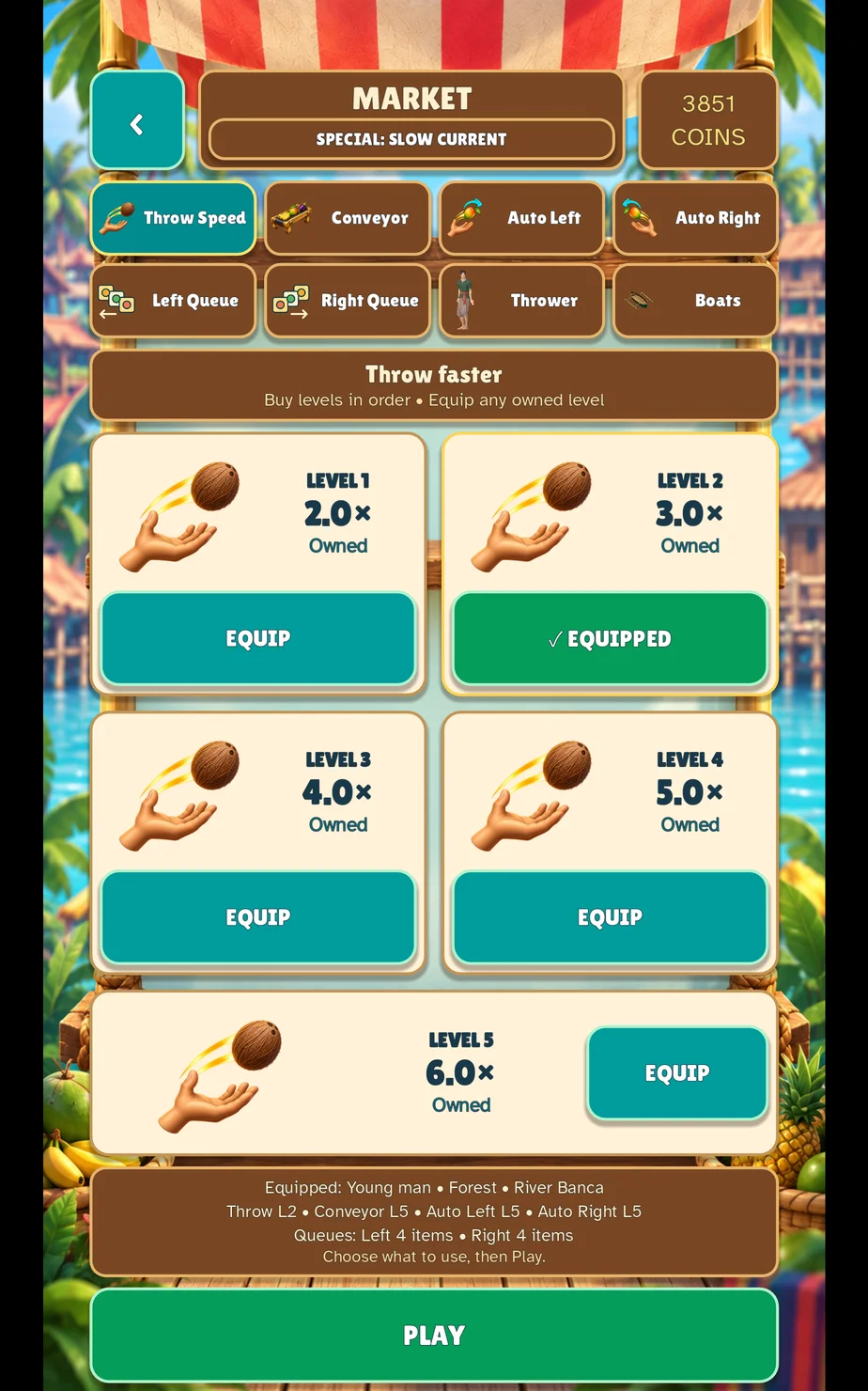
Spend earned coins on throwing, conveyor, queue, and auto-throw upgrades. Choose your character, outfit, and banca before the next trip.
A new view around the bend
Travel through settings inspired by Philippine landmarks, from Mactan Shrine to San Juanico Bridge. Between levels, visit the market and choose the upgrades that suit your pace.
Choose an optional rewarded ad to retry your saved level after a failed run or when you return to the game. Starting over from level one stays free.
The market’s Slow Current special offers one speed offset per completed ad. Each offsets one level’s 10% increase, never below level-one speed. Earn it again with another ad; your offsets stay saved for future runs.
Player guide
LABAY combines matching orders with the timing of a moving floating market. Read what the customers want, prepare the appropriate goods, and deliver them from your banca as the boats pass. Planning your next order helps when the current gets faster.
Watch the requested produce above each customer. Fruit, vegetables and seafood have distinct icons; match the item itself before choosing a side. Prepare your left and right queues for the boats approaching on those sides.
Use the matching left or right delivery control to send goods across the water. A full queue is not always the best queue: leave room for the orders you can actually serve next, and check what is waiting before making another throw.
Each level has a sales target and a time limit. Successful deliveries move you toward the target, while combos reward a sequence of good throws. Misses and reputation are also part of the run, so timing a useful delivery matters more than throwing at every passing boat.
The compact top panel shows sales, time, level and location. Open DETAILS to inspect misses, combo, score and other run information, then HIDE to return to the smaller view.
Between levels, spend the coins you earn in the market. Throwing and conveyor upgrades affect how quickly you can handle goods; queue upgrades give each hand more room, and Auto Throw adds another way to manage deliveries.
Consider the problem in your last level before buying. Extra queue space helps with preparation, while a faster conveyor means more goods to manage. Character, outfit and banca choices let you change the look of your next trip.
Optional rewarded ads can let you retry a saved level after a failed run or when returning to the game. Starting a new game from level one remains free. The ad must complete successfully for its reward to be granted.
Slow Current offers one saved speed offset per completed ad. Each offsets one level's 10% speed increase, never below level-one speed. Ad availability depends on your connection, region, privacy choices and the ad provider.
No LABAY account is required. Coins, scores, saved checkpoints, upgrades and preferences are stored on your device. Clearing app storage or deleting the app can remove that progress.
You can start a new run without watching an ad. Rewarded retries and Slow Current are optional. Review the available advertising choices in Settings → Ad Privacy Choices.
Include your device model, app version, what happened and the approximate time. A screenshot of the result or error can help. Use the support link below, and do not send passwords or payment details.
Need a hand?
Send your device model, game version, and a short description of what happened. A screenshot helps, too.
For privacy requests, follow the LABAY data deletion steps below.
Your data & your choices
LABAY is provided by Zen Luv AI Inc, operating as Zen Luv AI Studio. You do not need a LABAY account to play or to request deletion.
Support information we hold: We delete your support emails, email address within those records, and attachments within 30 days of a verified deletion request. If we must retain specific information to meet a legal obligation, we will explain what is retained, why, and the applicable retention period to you.
Game progress on your device: Coins, scores, checkpoints, rewards, upgrades, characters, boats, tutorial completion, and settings are stored locally. The app also keeps ad cooldown history and saved consent choices on the device. On Android, use your device’s app settings to clear LABAY’s storage. On iOS, delete the app rather than offloading it. This removes local progress and cannot be undone by us. Manage device or cloud backups separately, because restoring a backup may restore your save. We cannot remotely delete or retrieve a save stored only on your device.
Advertising and consent data: Pangle provides ads, and InMobi CMP manages advertising consent. Their records may include device identifiers, ad interactions, diagnostics, and consent choices. These providers handle deletion and retention under their own policies; our 30-day support policy does not set their retention periods. Use the privacy-rights instructions for your region in Pangle’s privacy policies and InMobi’s consumer request policy, or email us for help directing your request. Changing consent does not itself delete information already collected.
Review ad consent in Settings → Ad Privacy Choices in LABAY. Read our Privacy Policy for more about advertising, website visits, and your rights.